network security
Reduce time to triage by up to 50% with Corelight's new Guided Triage capability
Reduce time to triage by up to 50% with Corelight's new Guided Triage capability.
Every SOC analyst has been there. An alert fires. You know what you need to find. Maybe it's all outbound connections from a specific host that spiked overnight. Maybe it's every DNS query over 100 characters from a subnet you're watching. You know the question. What you don't know is the exact query syntax you need to ask it.
So you open the documentation. You search for field names. You try a query, get it wrong, adjust, and try again. Minutes pass. During an active investigation, those minutes are expensive.
This is the query syntax barrier, and it affects every analyst who’s not a seasoned expert in the query language. It's not a security knowledge gap. It's a gap between knowing what to look for and being able to pull it from the data.
With the v29.2 release, we're closing that gap.
Natural Language Query (NLQ) translates plain-English questions into working LogScale Query Language (LQL) queries and executes them against your data. You do not need syntax memorization or documentation tabs. You type what you want to know, and the NLQ agent handles the translation.
For example:
“Show me all connection spikes on port 443 last night.”
“Which internal hosts communicated with IP addresses in countries we've never seen before?”
“How much data did 10.4.12.88 upload in the last 48 hours?”
Each of these becomes a functional LQL query that executes immediately, with results returned in Investigator. The analyst stays focused on the investigation instead of fighting with syntax.
Natural language security queries aren’t new in the SIEM or NDR space. Several products have offered different flavors of NLQ. Corelight is taking the NLQ concept into the agentic future while staying true to its meaning.
What makes NLQ really powerful here is the evidence Corelight provides. Corelight generates the richest network telemetry in the industry. It includes connection records, protocol metadata, threat intelligence, and behavioral and machine learning detections. The depth of evidence is extraordinary. The problem has always been that accessing that depth required deep knowledge of the telemetry and specialized query skills that most analysts simply don't have time to build.
NLQ unlocks the full power of that evidence for every analyst on the team, on day one, regardless of their knowledge of Zeek or fluency with LQL.
Consider a common investigation scenario. An L1 analyst receives an alert about a potential DNS tunneling detection. Before NLQ, the investigation path looked something like this:
With NLQ, that same analyst types: “Show me all DNS queries from 10.4.12.88 where query length exceeds 50 characters in the last hour.” Results appear. Next query: “Show all outbound connections from 10.4.12.88 over the last 24 hours sorted by bytes transferred.” Another set of results. The investigation keeps moving.
The time savings compound quickly. Our internal testing showed that analysts who previously spent 3 to 5 minutes constructing a single query could get results in seconds. Across a full investigation with multiple pivots, that can be the difference between a 30-minute triage and a 5-minute one.
NLQ becomes even more valuable when paired with the Corelight Agent Builder Library, which we're also shipping in this release. The Agent Builder Library provides structured investigation playbooks that tell analysts (and their AI agents) what to investigate for any given alert type. NLQ removes the barrier to actually pulling the evidence those playbooks call for.
Think of it this way: The playbook says “check for anomalous upload volume from the source host.” NLQ lets any analyst find that data immediately, without needing to know that the right approach is a specific groupBy aggregation over conn.log with a bytes filter on orig_bytes.
The combination means analysts know what to look for and can find it instantly. That's a meaningful change for L1 teams that previously had to escalate network-heavy investigations to senior staff.
NLQ translates natural language into LogScale Query Language and executes the resulting query directly against your Investigator data. The translation is context-aware. It understands Corelight's log schema, field names, and common investigation patterns. When you ask about “connections,” it knows you mean conn.log. When you ask about “DNS queries to unusual domains,” it knows which fields are relevant and how to filter them.
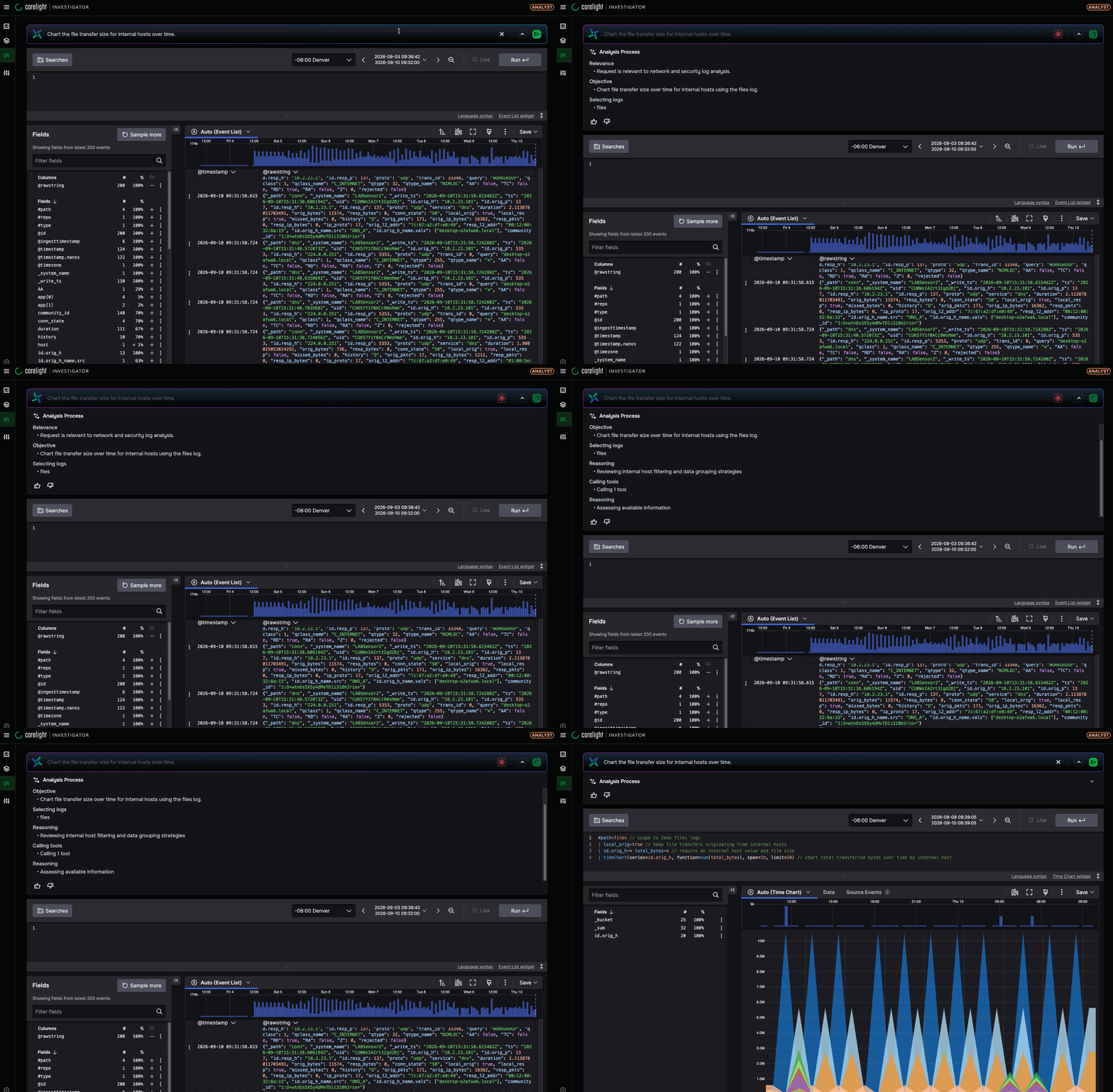
Every Investigator customer gets NLQ at GA, once they enable the GPT private data integration. A few groups will feel the impact the most:
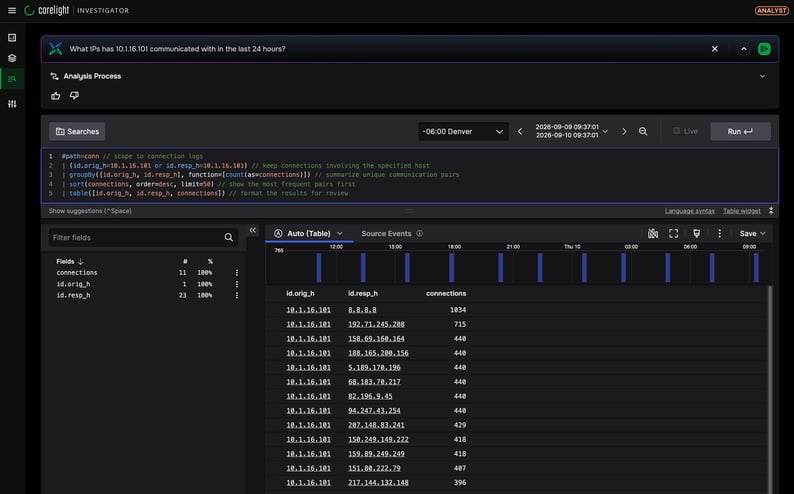
NLQ is available at GA to all Investigator customers who enable the GPT private data integration. You'll find it in the Investigator search interface, ready to use.
For teams evaluating Corelight, NLQ is part of a broader investment we're making to remove barriers between analysts and network evidence. The Corelight Agent Builder Library provides the investigation expertise. NLQ provides the query access. Together with Agentic Triage verdict export (which delivers pre-investigated findings directly to your SIEM), the entire investigation workflow becomes faster without requiring new specialized skills.
If you're a current customer, enable the GPT Private Data integration and start asking questions of your network data in plain English. If you're evaluating Corelight, reach out for a demo to see NLQ in action against live network data.